One library, ready for any sampler.
SampleStack is a native macOS sample library manager and multisample instrument builder. It validates, converts, and exports your audio for hardware and software samplers, from a Morphagene reel to a Decent Sampler instrument, so every file lands in the format and layout its destination expects.
Free 7-day trial · macOS 15+ · Join the newsletter
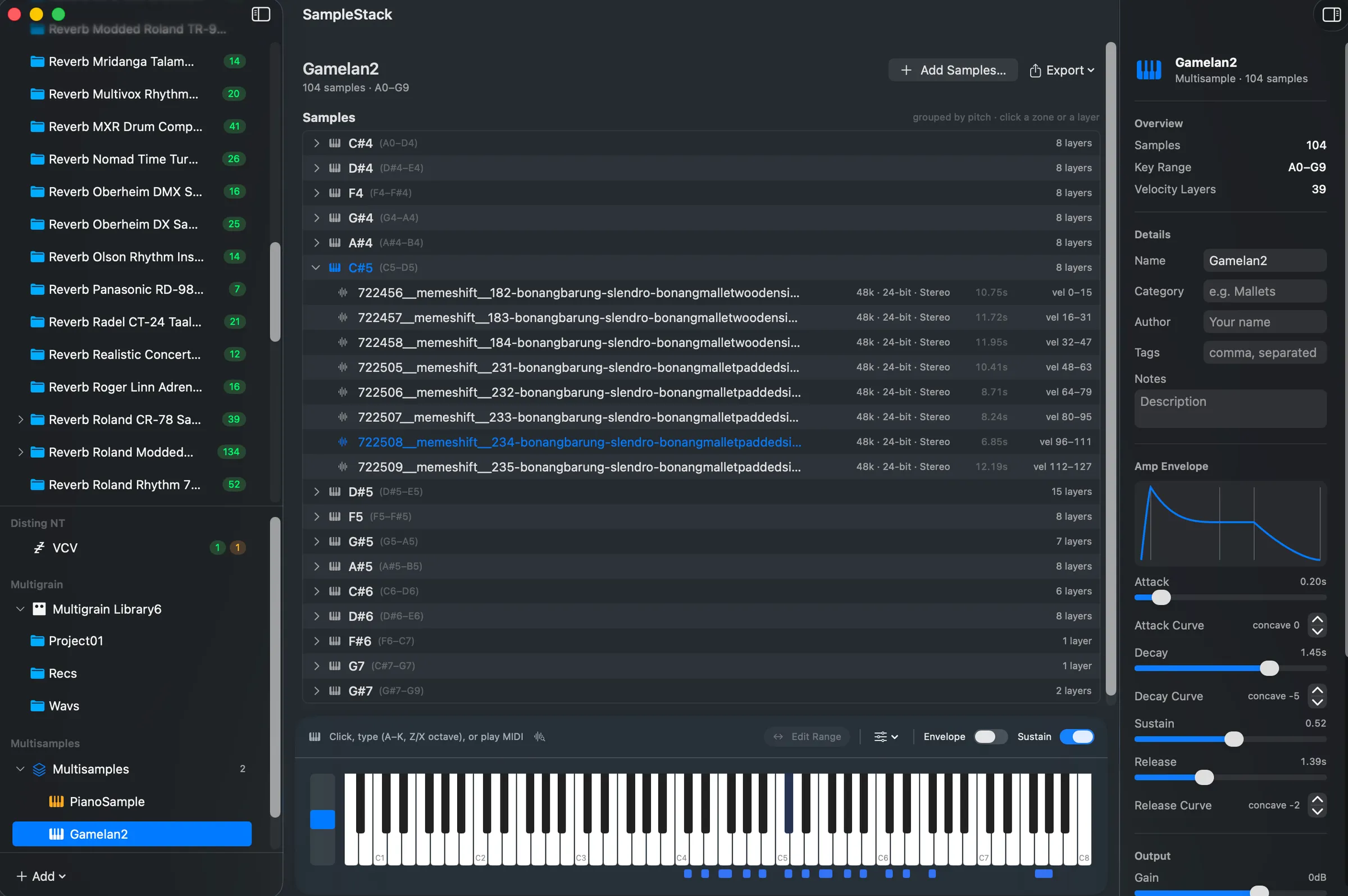
See it in action
From a messy folder of samples to a validated device card or a playable instrument, without leaving the app.
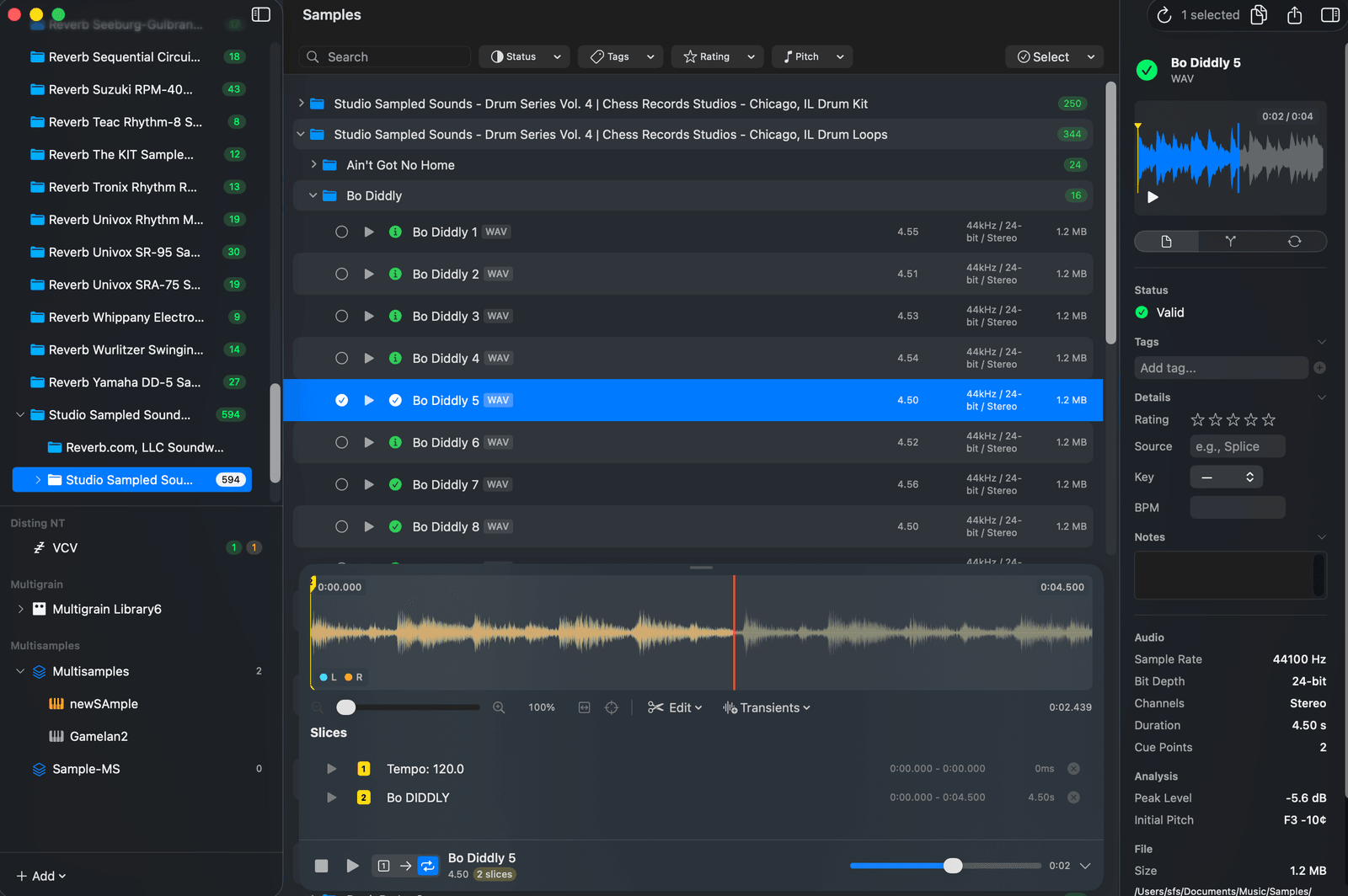
Library management
Every sample, in its place
Browse your whole library in one window. Auto-detected device structure, color-coded validation, tags, ratings, categories, notes, BPM and key, plus search that actually finds things.
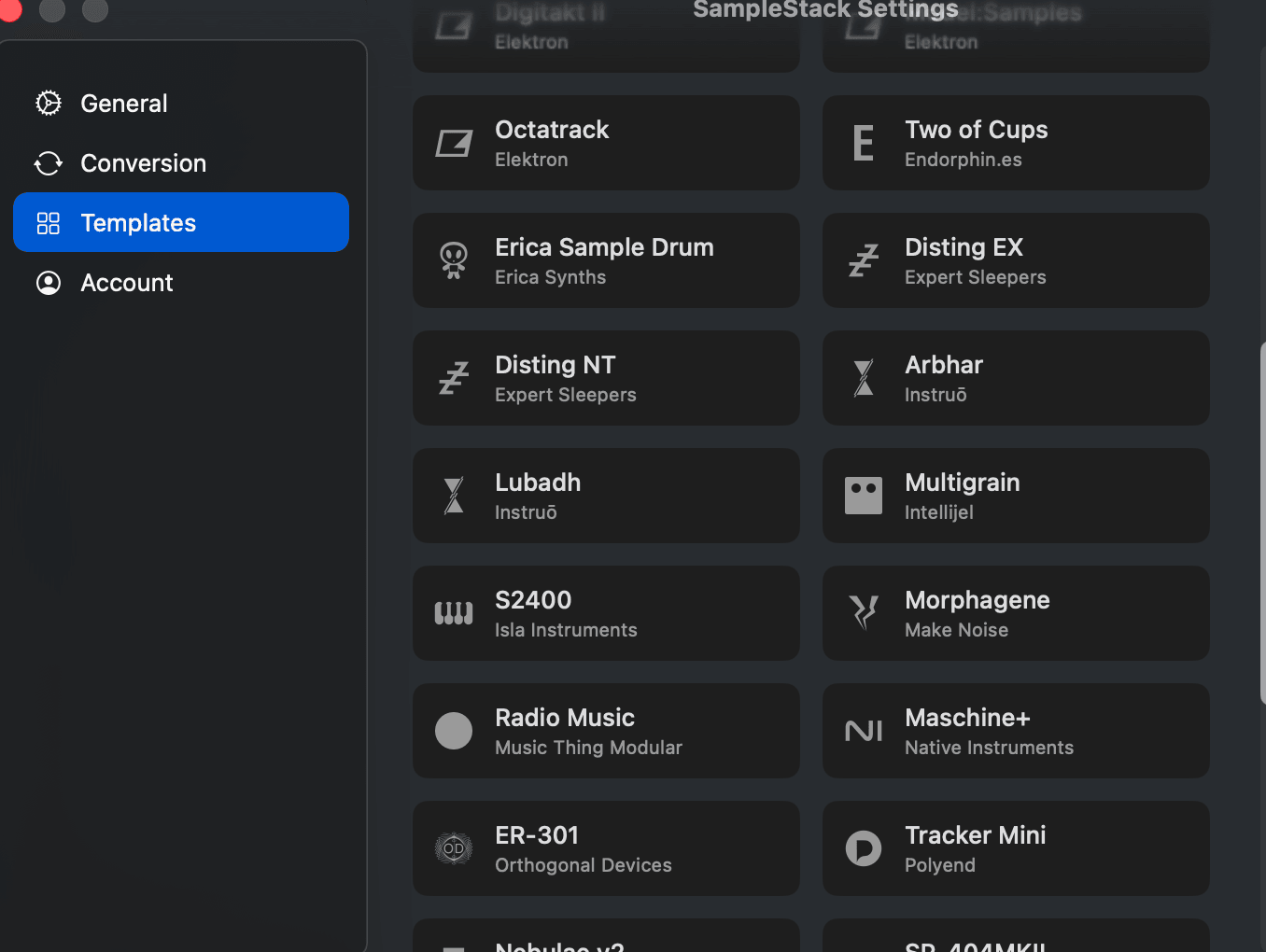
Multi-output support
One library. Every destination.
Copy and convert from a single master library to hardware samplers, Eurorack modules, and software targets. Each destination gets the exact sample rate, bit depth, folder layout, and filenames it expects.
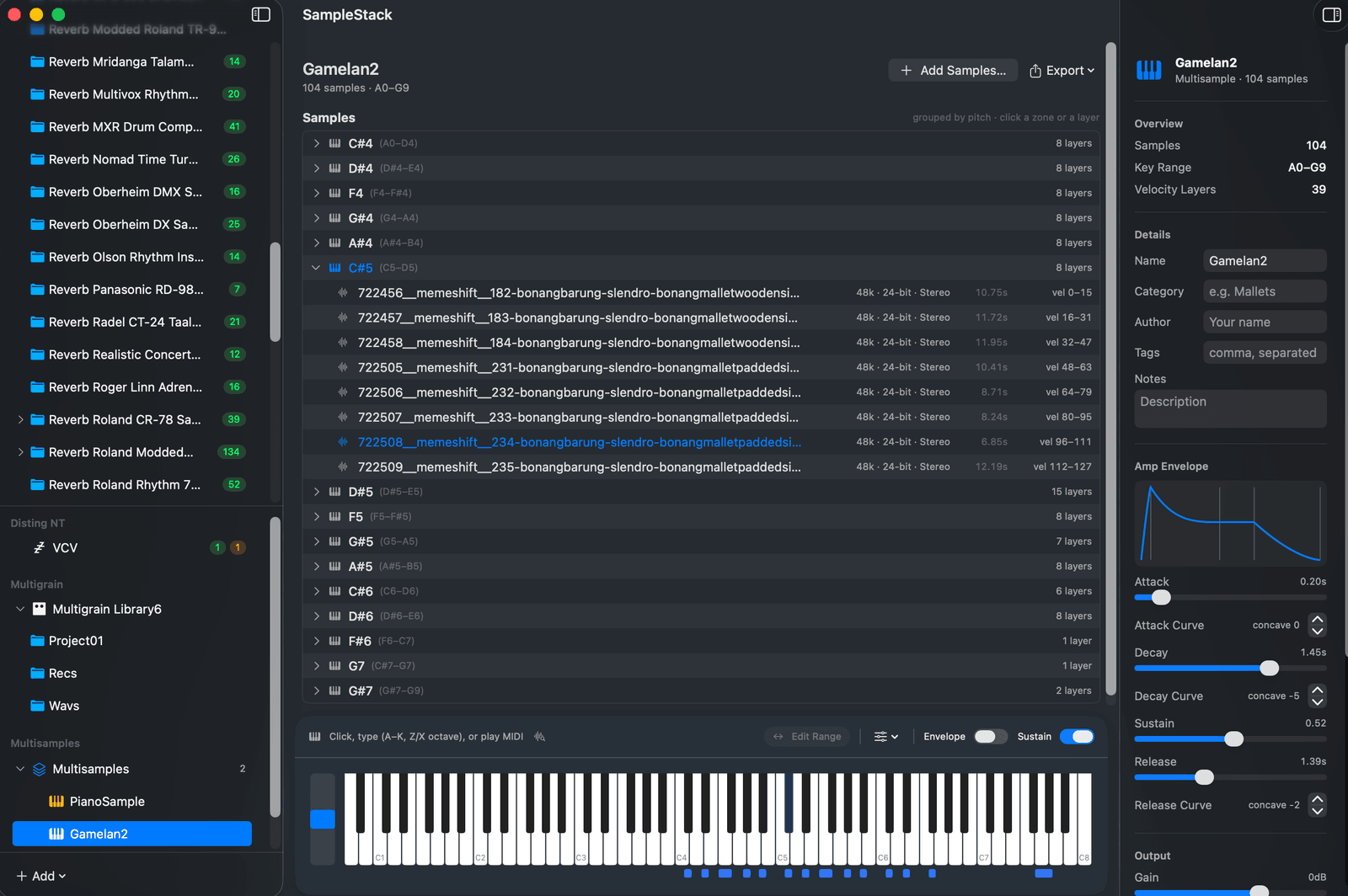
Multisample support
Turn one-shots into instruments
Drop in samples and SampleStack detects their pitch and maps them across the keyboard, or import an existing SFZ or Decent Sampler instrument to work from. Stack velocity layers, tune zones, shape the amp envelope, and play it back over MIDI or your computer keys.
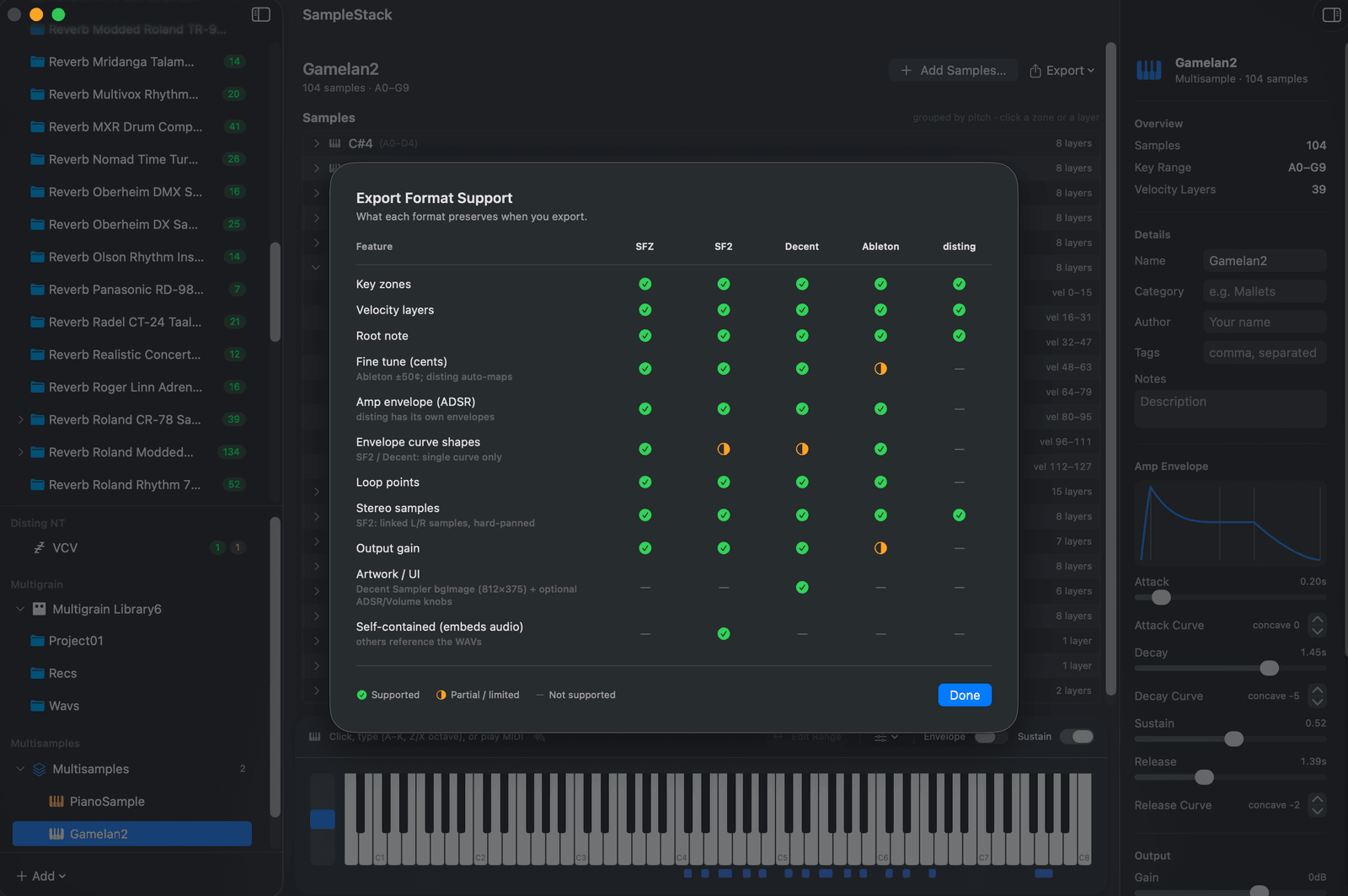
Multisample export
Export to anything
Send your instrument out as SFZ, SoundFont 2, Decent Sampler (with artwork and controls), Ableton Sampler, disting EX and NT, or 1010music Bitbox. A built-in matrix shows what each format carries, and you can thin zones by pitch, round-robins, or velocity layers to fit a hardware target's limits.
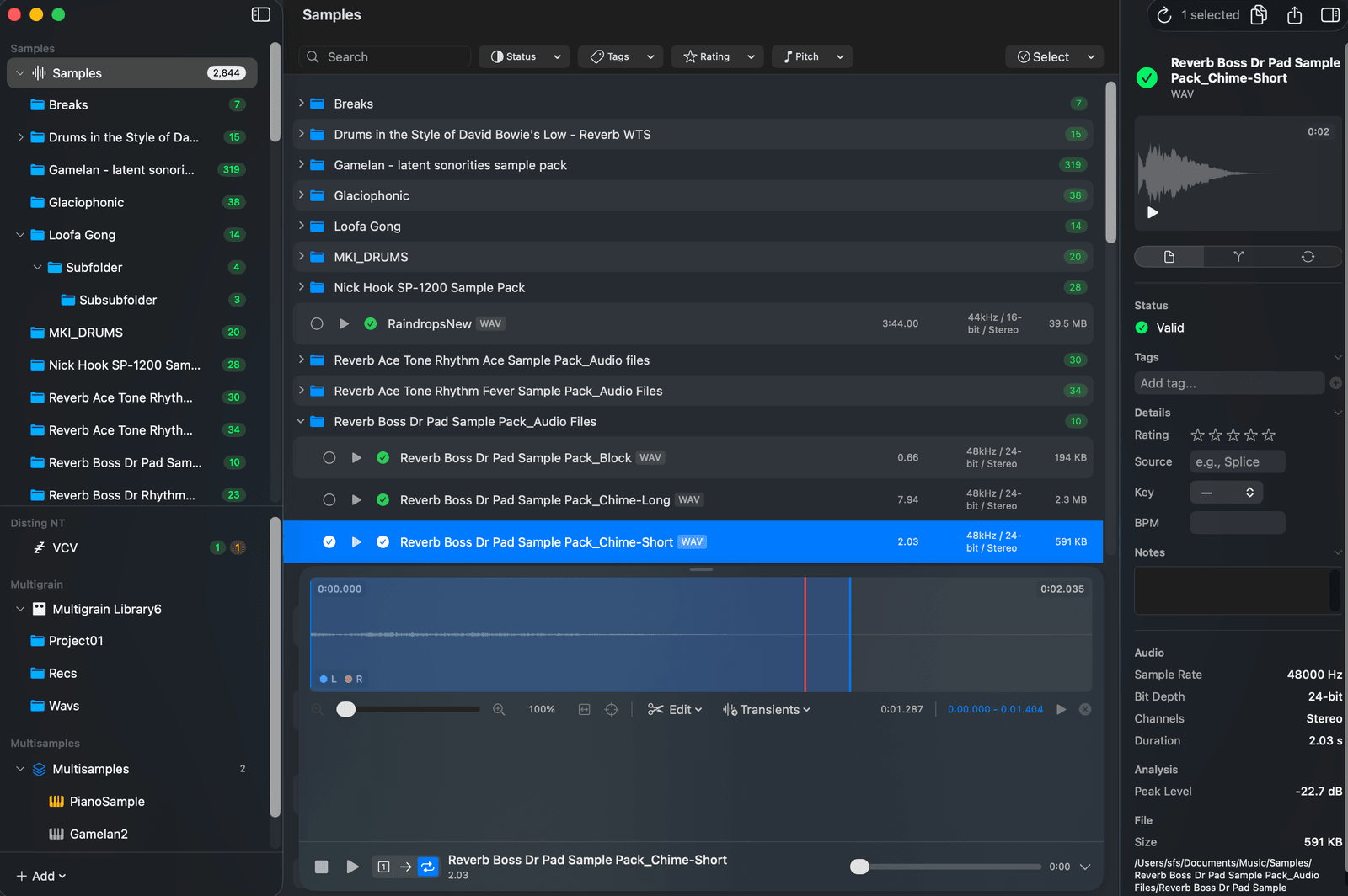
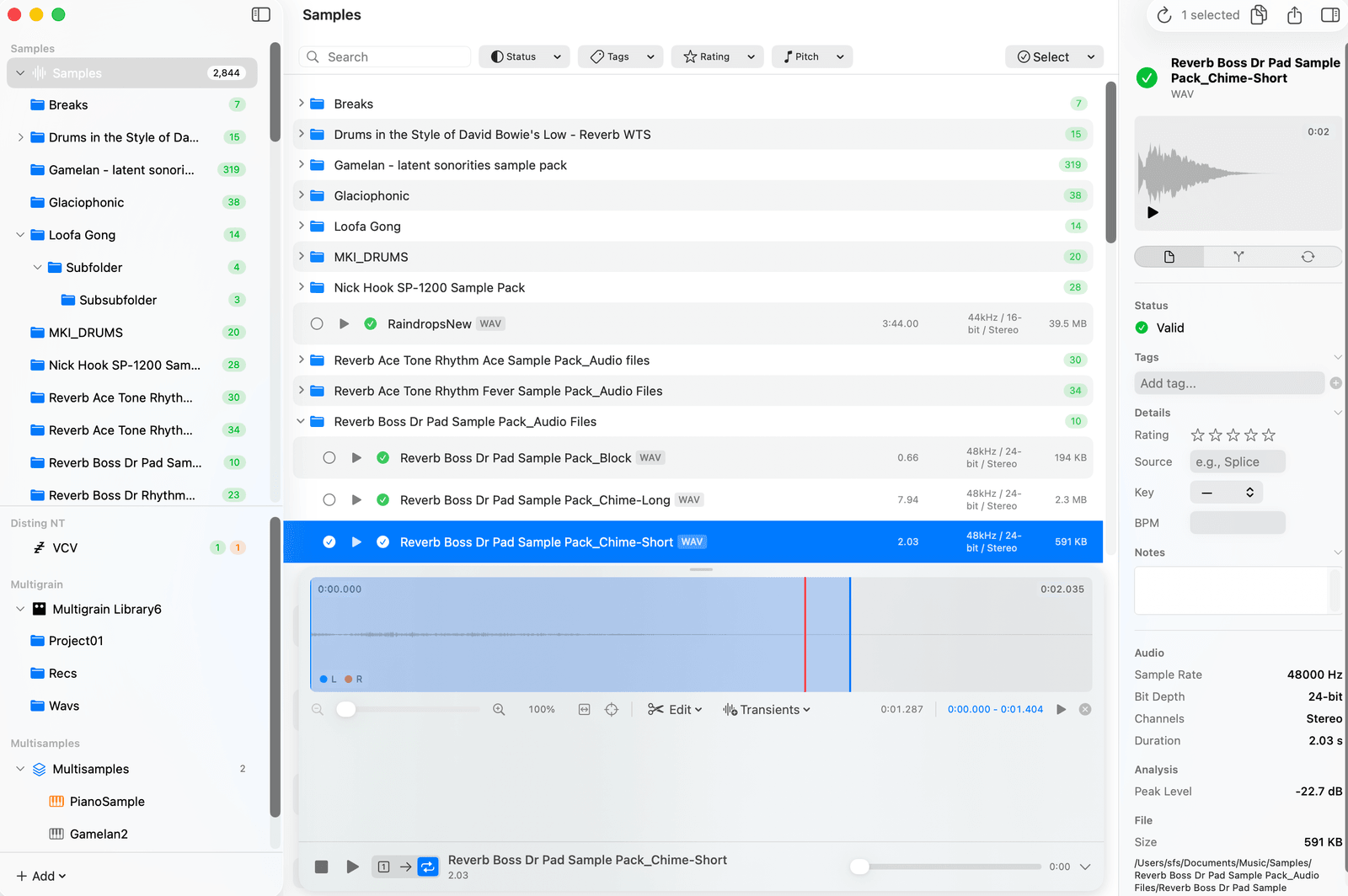
Editing & native macOS
Edit right where you browse
Zoom into a stereo waveform to fade, crop, cut, and split, all non-destructive. Add splice markers or auto-detect transients, then save when you're happy. Built in SwiftUI and right at home in Light or Dark mode. Drag the slider to compare.
How it works
SampleStack knows what every supported device and software target wants, and does the tedious format work for you.
Multi-target support
Auto-detects your library structure for the Morphagene, Squid Salmple, Digitakt, Octatrack, Blackbox, and 30-plus other devices, plus software targets like SFZ and Decent Sampler. Each has its own rules. SampleStack knows them.
Instant validation
See at a glance which samples are ready, which need conversion, and which have issues. Color-coded badges show you what needs attention.
Built-in audio editing
Preview with a zoomable waveform. Add cue points and splice markers, detect transients, apply linear or logarithmic fades, split, crop, and extract, all non-destructively. Loop crossfades use equal-gain curves. Save when you're ready, or discard and start over.
And more
- Import SFZ and Decent Sampler instruments, including .dslibrary archives and keyswitched libraries
- Build and export multisample instruments to SFZ, SoundFont 2, Decent Sampler, Ableton Sampler, disting, and Bitbox
- Batch convert sample rate, bit depth, and channels to match any target
- Organize with tags, ratings, categories, notes, BPM, and key, with search across the library
- Native macOS. Fast, private, works offline
From sample library to SD card in minutes
Stop checking sample rates by hand and renaming files one at a time. SampleStack validates your library against the target module, converts whatever needs converting, and exports the right folder layout to your SD card.
Import your sample library. Any format, any organization.
Auto-validate against module specs. See issues instantly.
Export to SD card with correct structure and formats.
Why SampleStack
Hardware samplers have strict rules. Wrong sample rate, wrong bit depth, wrong filename, and your samples won't load. SampleStack takes the guesswork out by validating and converting against the target automatically.
Every sampler has its own rules. Morphagene wants 32-bit float stereo. Squid Salmple wants 16-bit mono at 44.1 kHz. SampleStack detects the target from your folder, then validates sample rate, bit depth, channels, duration, and filenames against its spec.
Preview edits before committing. Cue points, linear and logarithmic fades, crop, cut, split, and extract, plus transient-based slicing and equal-gain loop crossfades. Everything stages until you save. Discard anytime to revert to the original.
Keep your master library however you like it. Drag samples straight into a DAW, or into device collections when you need them. SampleStack handles the conversion in the background.
43 supported instruments
Format conversion, folder layout, and validation handled out of the box for every one of these.
Eurorack Modules
-
 ADDAC101 .WAV Player ADDAC System
 - ADDAC111 Ultra .WAV Player ADDAC System
- ADDAC112 VC Looper & Granular Processor ADDAC System
-
 Arbhar Instruō
 -
 Assimil8or Rossum Electro-Music
 -
 Bitbox Micro 1010music
 - Bitbox mk2 1010music
-
 Disting EX Expert Sleepers
 - Disting NT Expert Sleepers
-
 ER-301: Sound Computer Orthogonal Devices
 -
 GrandPA Bastl Instruments
 - Lúbadh Instruō
-
 Morphagene Make Noise
 -
 Multigrain Intellijel
 -
 Nebulae v2 Qu-Bit Electronix
 -
 ONE Tiptop Audio
 -
 Play 2hp
 -
 Radio Music Music Thing Modular
 -
 Rample / Rample Turbo Squarp Instruments
 -
 Sample Drum Erica Synths
 -
 Sampler 4ms
 -
 Squid Salmple ALM Busy Circuits
 - Stereo Triggered Sampler (STS) 4ms
-
 Two of Cups Endorphin.es
 -
 Veno-Orbit Venus Instruments
Standalone Samplers & Grooveboxes
- Blackbox 1010music
-
 Deluge Synthstrom Audible
 -
 Digitakt Elektron
 - Digitakt II Elektron
-
 EP-133 K.O. II Teenage Engineering
 -
 GR-1 Tasty Chips Electronics
 -
 Maschine+ Native Instruments
 - Model:Samples Elektron
-
 MPC Live II Akai Professional
 - MPC One / One+ Akai Professional
- Octatrack MKII Elektron
- S1000 Akai Professional
-
 S2400 Isla Instruments
 - SP-1200 Rossum Electro-Music
-
 SP-404MKII Roland
 - TR-1000 Roland
-
 Tracker Mini Polyend
 -
 Volca Sample (2nd Gen) Korg
Frequently asked questions
What people ask most often about SampleStack and managing samples for hardware.
What is SampleStack?
SampleStack is a native macOS sample library manager and multisample instrument builder. It organizes your library, then validates, converts, and exports audio to match what hardware samplers, Eurorack modules, and software targets actually want, from a Make Noise Morphagene reel to a Decent Sampler instrument.
What is a sample manager and why do I need one?
Every hardware sampler has its own requirements: sample rate, bit depth, channel count, folder structure, naming conventions. Get any of them wrong and your samples won't load. A sample manager handles those rules for you so you can spend your time on the music instead of file plumbing.
Which modules and samplers does SampleStack support?
SampleStack supports 30-plus hardware devices, including the Morphagene, Squid Salmple, Multigrain, disting EX and NT, Nebulae v2, ER-301, Sample Drum, Radio Music, Rample, Assimil8or, Blackbox, Bitbox, Digitakt II, Octatrack MKII, Tracker Mini, Akai MPC, SP-404 MKII, Maschine+, S2400, and the Venus Instruments Veno-Orbit. Software targets include SFZ, SoundFont 2, Decent Sampler, and Ableton Sampler. You can also add custom profiles for hardware that isn't built in.
Can SampleStack import and build multisample instruments?
Yes. SampleStack imports SFZ and Decent Sampler instruments, including .dslibrary archives and keyswitched libraries, and preserves source metadata that other tools discard. You can also build an instrument from a folder of one-shots, then export to SFZ, SoundFont 2, Decent Sampler, Ableton Sampler, disting EX and NT, or 1010music Bitbox, thinning zones by pitch, round-robins, or velocity layers to fit a hardware target's limits.
Does SampleStack modify my original files?
No. All edits and conversions are non-destructive. SampleStack stages changes in a working area and only writes new files when you explicitly export. Your originals stay untouched.
What audio formats does SampleStack work with?
SampleStack reads and writes WAV, AIFF, FLAC, and other common formats. It converts between sample rates (44.1, 48, 96 kHz), bit depths (16, 24, 32-bit float), and channel layouts (mono and stereo) using SoX-based resampling, so you can prep for any module without quality loss.
How do I prepare samples for the Morphagene?
The Make Noise Morphagene wants 32-bit float WAV at 48 kHz, stereo, with reels under about 174 seconds. SampleStack ships with a Morphagene profile that validates the format, converts whatever needs converting, and writes splice markers so each sample plays back correctly as a reel.
Can I batch-convert an entire sample library?
Yes. Apply a target instrument profile to a folder of any size. SampleStack validates, converts, renames, and organizes every file in a single pass, ready to drop onto your SD card.
How is a sample manager different from a DAW?
A DAW (Logic, Ableton, Pro Tools) is built for making music inside the software. A sample manager handles the file-level work that hardware needs: SD card layouts, manufacturer-specific folder structures, splice markers, and conversion edge cases that DAWs don't address. SampleStack also drags samples straight into a DAW, so it works alongside one rather than replacing it.
How much does SampleStack cost?
SampleStack is on the Mac App Store with a 7-day free trial. After the trial you can choose an annual subscription or a one-time lifetime purchase, whichever fits your workflow.
What are the system requirements?
SampleStack is a native macOS app built with Swift and SwiftUI. It requires macOS 15 (Sequoia) or later, and runs on both Apple Silicon and Intel Macs.
Have another question? Drop us a line or visit the help page.
Stop wrestling with sample formats.
Get SampleStack.
Try free for 7 days. No credit card required.
Get SampleStack